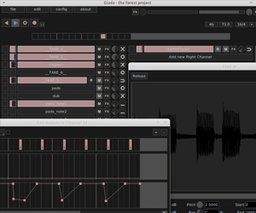
Nimble live-performance workstation and VST2 host that lets you drop audio or MIDI clips, trigger patterns, and run real-time sets on Windows, macOS and Linux.
Description
If you play live or sketch beats in the studio, Giada gives you a fast, no-nonsense platform to perform and arrange on the fly. You can load audio and MIDI clips into individual channels, trigger patterns and scenes with minimal fuss, and keep everything stable even during long sets. It’s built to stay out of your way so you can focus on the music rather than menus.
What you get:
- Light, efficient audio engine with multi-core support for low CPU overhead.
- Standalone operation and VST2 hosting so you can use third‑party instruments and effects inside your setup.
- Clip-based workflow for instant launching of loops, beats and MIDI phrases — great for DJs, live electronic acts and producers who like performing improvisational sets.
- Compatibility with major audio drivers and external MIDI controllers to integrate into both studio and stage rigs.
In short, Giada is ideal if you want a compact performance tool that’s fast to load, easy to route, and built for realtime use — a practical choice for anyone who needs reliable looping, sampling and plugin hosting without the bloat.
Information
- Developer
- Monocasual
- License
- Freeware
- Price
- Free
- Platforms
- Linux, Windows, macOS
- Formats
- VST2
Rate this software
Login to rate.


