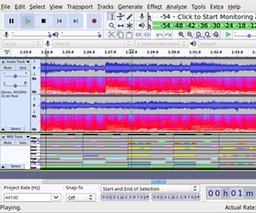
Capture, edit and mix audio on Windows, macOS and Linux with a versatile, no-cost editor ideal for podcasts, demos, restoration and multitrack work.
Description
If you need a reliable audio toolbox, Audacity is the kind of app I always recommend to friends — no cost, runs on all major desktop OSes, and gets straight to work on recordings and edits. It lets you capture sound from microphones, interfaces or other inputs, clean up noise, splice clips, and assemble multitrack sessions without a steep learning curve.
Key features
- Multitrack recording and overdubbing for building arrangements and podcast episodes.
- Capture from live inputs or convert analog sources like tapes and records into polished digital files.
- Support for many simultaneous channels depending on your audio interface (high-channel counts possible with suitable hardware).
- Built-in processing tools — EQ, compression, noise reduction and spectral editing — plus host support for VST2 plugins to expand your toolkit.
- Flexible export options and simple level metering so you can monitor and bounce mixes with confidence.
Whether you're sketching song ideas, producing a podcast, restoring archive recordings or teaching audio basics, Audacity gives you practical tools without getting in the way. Its community-driven updates and cross-platform compatibility make it a solid go-to for hobbyists and educators as well as for producers who want a fuss-free editor.


